![FL-logo-horizontal-rgb-1.png]](https://help.frontliners.ai/hs-fs/hubfs/FL-logo-horizontal-rgb-1.png?height=40&name=FL-logo-horizontal-rgb-1.png)
Set up the Zenegy integration in Frontliners
Go to Hours and Salary in the menu and click the settings wheel in the top right corner.
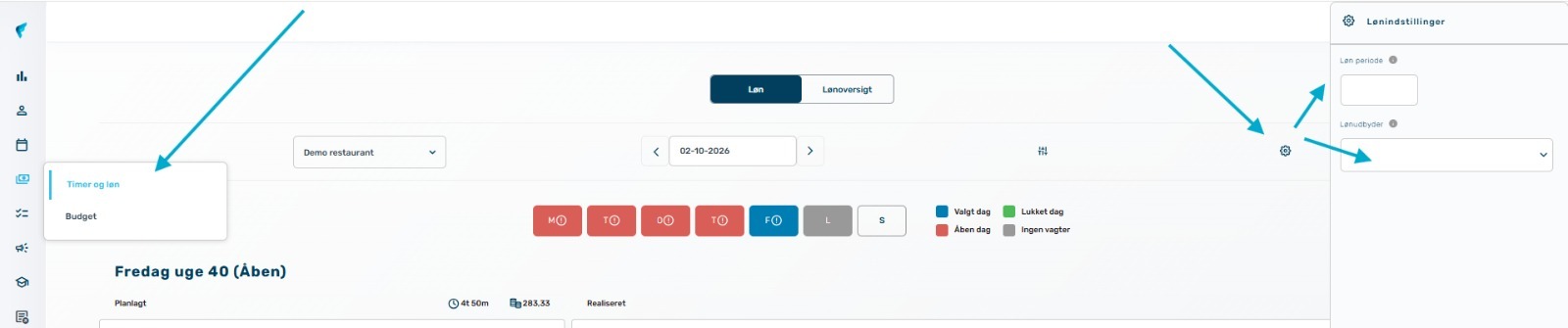
Here you select:
- Payroll provider: Select ZENEGY from the list
- Payroll period start date: Set the start date for your payroll period
You can also enable automatic nightly creation and updating of employees in Zenegy.
Connect Frontliners and Zenegy
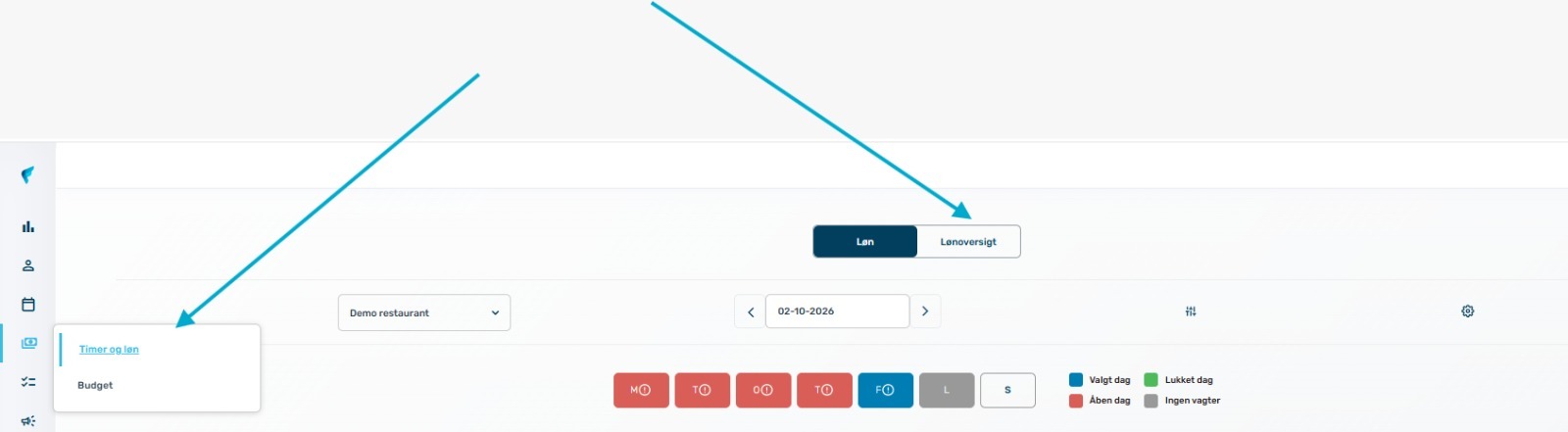
To connect Frontliners and Zenegy, select Payroll overview and you will be redirected to Zenegy where you log in with your username and password. You will then return to Frontliners and the connection is set up.
Give Frontliners access to your Zenegy system
If you would like help with your payroll transfer to Zenegy, you can grant us access as follows:
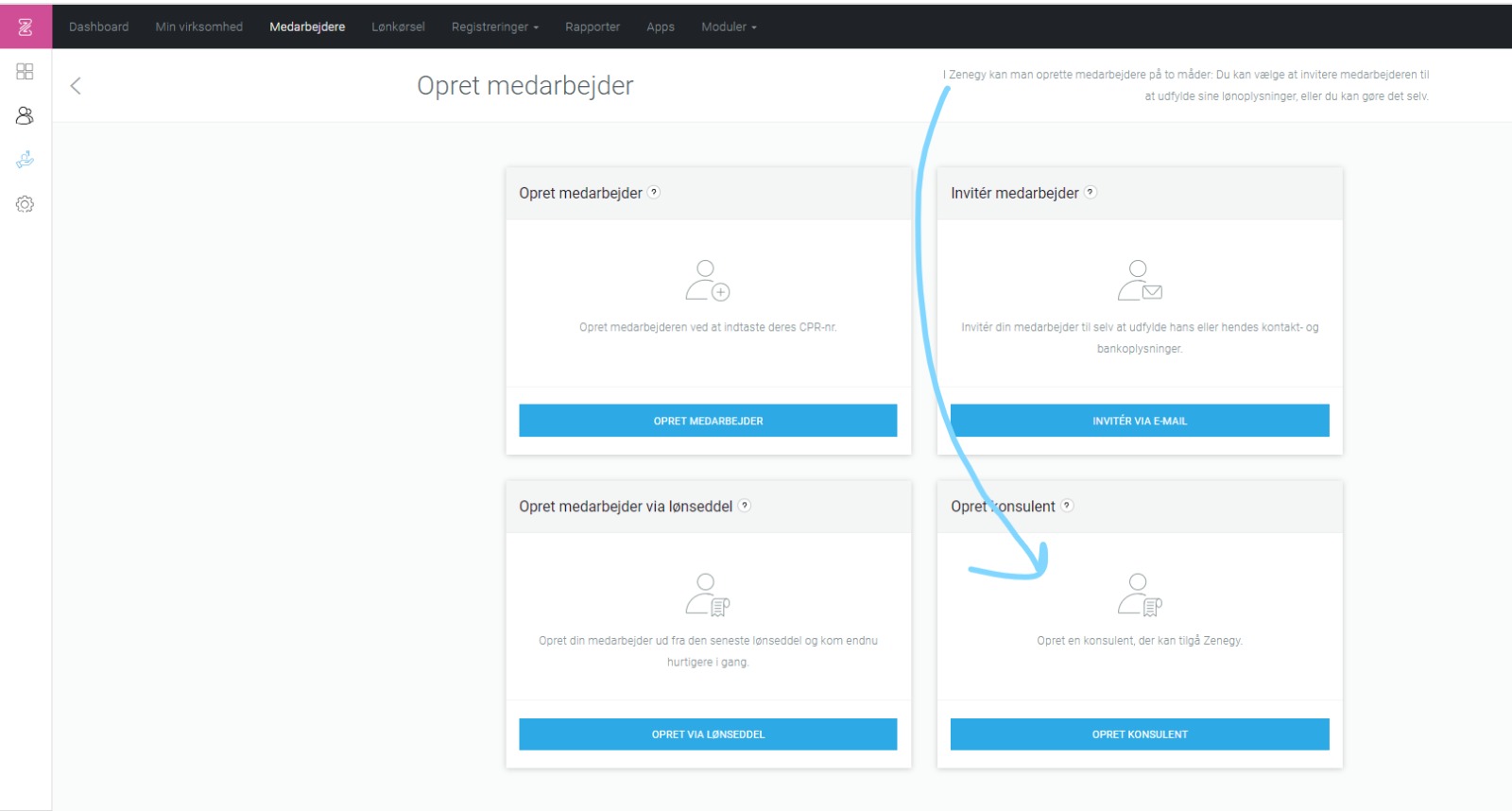
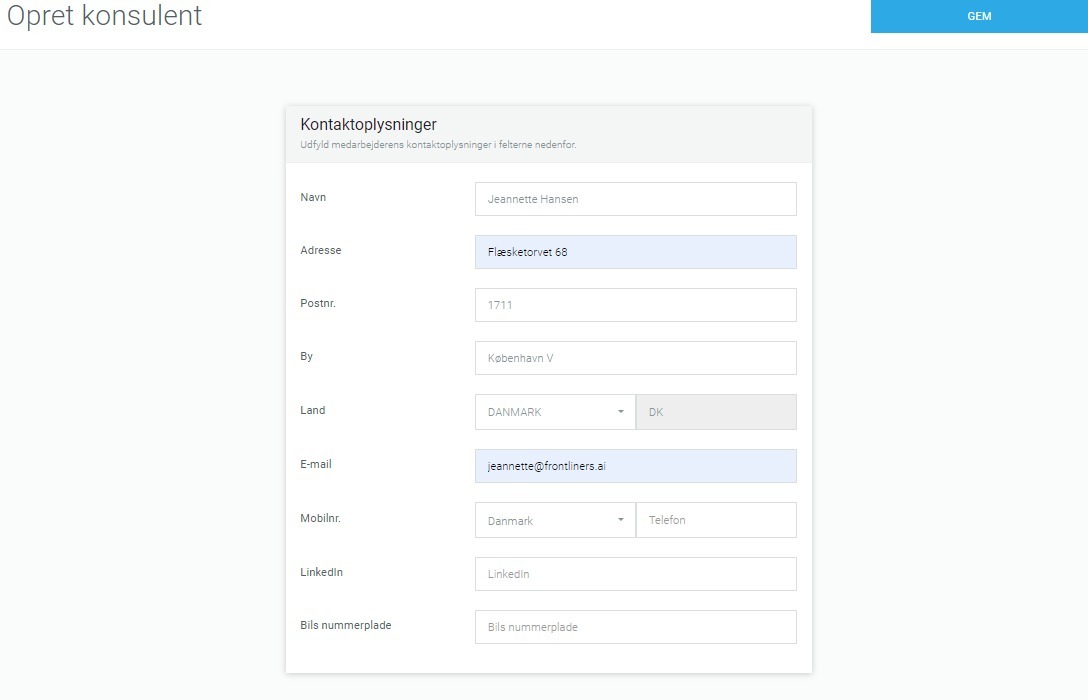
- Go to Zenegy and select Create Employee → Create Consultant
- Fill in the details and enter email: jeannette@frontliners.ai
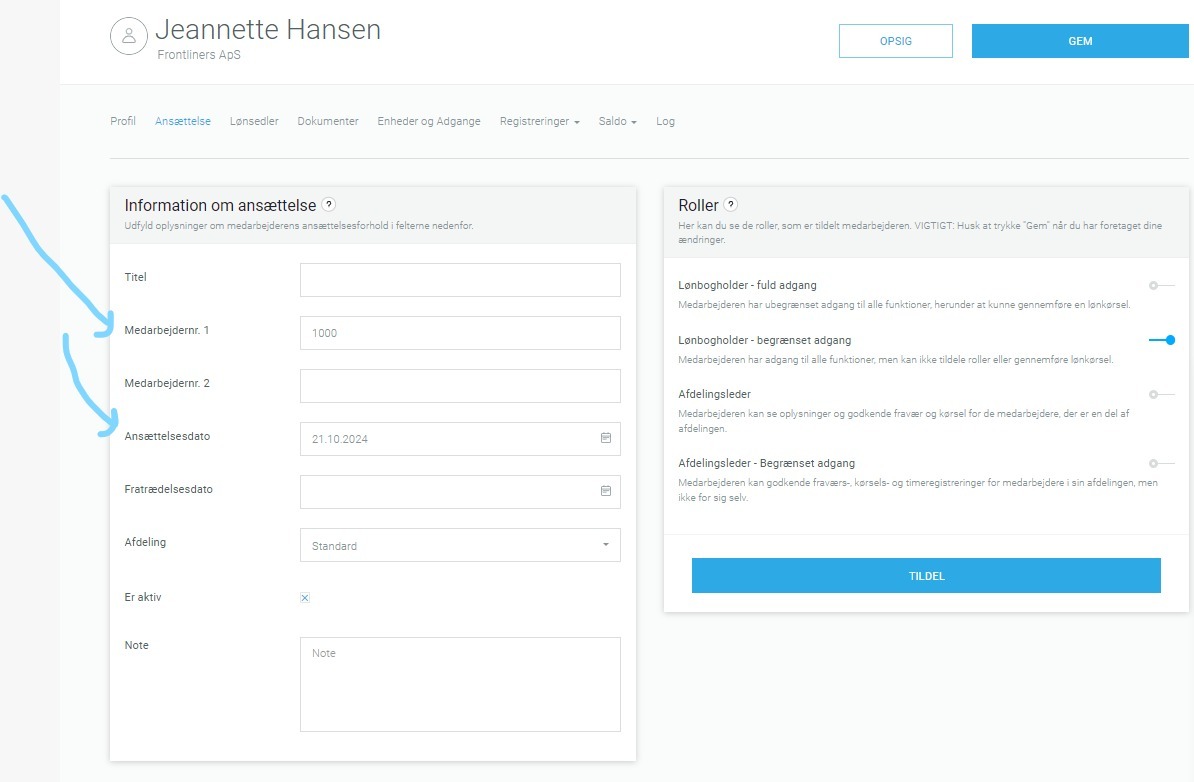
- Go to Edit employee and select Employment
- Enter an employee number and an employment date
- Select the role Payroll Accountant – limited access